synopsys

I just spent two and a half hours writing a synopsis of Decrypting Rita. It is approximately 2200 words long, and probably needs editing.

The spur to do this was Oni Press opening up submissions next month. Will they bite? I dunno. They say they’re explicitly looking for femme/lgbtq creators and stories, which I emphatically am, but I’m not going to hold my breath that they’ll decide to go with a 400p full color book that uses spot gloss throughout the intereors from a creator who’s making all of a hundred bucks a page on Patreon. I am hoping to at least get a personalized rejection of the form “WOW, but sorry, nope”.

So once I get that pitch pack off to them, I’ll probably turn around and send it to all the other comics publishers with any kind of open submissions policy, and some graphic novel divisions of Real Publishers as well.

And then I go back to drawing. Because right now I have about 10-20 pages left to rough out; once I’ve done that, it’ll be possible to put together a WIP of the whole book. I’ve got to do the final art and text on them, including the super complicated two pages that are next in sequence – but the end is very, very near. I mean, then there’s the Kickstarter campaign for it, and printing and distributing the books, and all that stuff. But the real work is almost done. Four years and some months. Writing and drawing everything by myself.

I am not going to think about drawing comics for at least a month afterwards.

the dream of my mother’s brain failing her

Well that was an unpleasant dream. Maybe even a nightmare. I dreamed I was on a trip with my mother and her memory just… stopped working. She knew who she was but had no way to keep a train of thought going for more than a few seconds. Dealing with it was scary, stressful, and hard. It was like herding a small child.

She's getting older. And as far as I can tell her mind is still fine. It's actually her body that's starting to fail; when she had heart surgery the enforced bed rest took a lot of muscle tone away, to the point where she has to use a walker just to get around her home, and getting out of the house is increasingly difficult. And her arthritis means trying to exercise and regain that muscle tone is really difficult; she has an exercise bike but can't use it for more than a few minutes, she says. There's going to be a time when she needs to go into a home or something soon, I'm afraid. And she's going to hate that.

Oh, wow, I sure do have a complicated jumble of emotions about this. I think I'm just going to put off digging into them at least until daylight, if not longer.

Egotistical Draguar Remission

Click for full NSFW image


so tonight i was lying around in a purple leopard print camisole, getting petted, and smoking a lot of weed. unnaturally colored cat prints always put me in mind of my retired drunken furry pornmonger identityt. so i drew her. pose referenced off of some porn of a much skinner lady, because p—- g—– is all about being lazy and sloppy with her art.

fine point grey marker, violet.blue.purple.orange chisel tip prismacolor markers. about an hour.

i kinda want to pay people who specialize in drawing squishy voluptuous cartoon ladies to draw pinups of her.

Vicar Amelia

Vicar Amelia

Who’s a pretty girl? Who’s a good girl? Ball! Get the ball!


…I’ve been playing a lot of Bloodborne lately. Illustrator, 1:30.


Also finishing this made me miss the bus for tumbling class. Feh. Need to make more alarms I guess.

rearranging the studio

Screen Shot 2015-04-08 at 1.50.42 PMThis is me playing with the painterly workflow I’m developing for Drowning City by using it on a future page of Rita. Now that I’m starting to use a lot of named Graphic Styles to organize my effects, I want to have that panel constantly open. It used to be in the same tab panel as the Brushes panel, but I was finding myself constantly toggling between them, so it gets more screen space.

You can pretty much tell how important a panel is to my workflow by how much screen real estate it’s give here, with the exception of the Stroke palette being more expanded than it really needs to.


Illustrator Wish List, April 2015.

This is my list of things I’d like to see in Illustrator. Everyone who uses it probably has one; this is mine.

Everything is ready to be cut and paste into Adobe’s feature request/bug report form; I keep these in an Evernote note that’s slowly expanding over the years as my usage of Illustrator changes.


*******Enhancement / FMR*********

 Brief title for your desired feature:
View rotation.
 How would you like the feature to work?
I would like to be able to rotate my view of the working area. Similarly to Photoshop’s ‘Rotate View’ tool.
 Why is this feature important to you?
Sometimes you want to draw stuff upside down or sideways. You can rotate everything in the image but that’s kind of a pain in the ass when you’ve got a complicated piece with a bunch of locked layers and whatnot.

*******Enhancement / FMR*********

 Brief title for your desired feature:
Layer freezing.
 How would you like the feature to work?
Currently, layers can be locked, or unlocked. I would like to have a third mode: ‘frozen’, where the layer is locked, and a bitmap of the entire layer is cached. This bitmap is then used for rendering the preview, until such time as the layer is unfrozen.
I imagine this being invoked by shift- or control-clicking on the layer’s visibility eye in the layers palette; the eye would be replaced by a snowflake or some other indication of it being ‘frozen’.
 Why is this feature important to you?
When doing very complicated artwork, sometimes Illustrator’s live preview starts to become impossibly slow. Distorted dense fill patterns, lots of art brushes full of translucent shapes, complicated high-res bitmap effects… these are all things that I would like to explore in my work, but don’t, because I need to have fast response time in my drawing tool.

*******Enhancement / FMR*********

 Brief title for your desired feature:
Assignable keyboard shortcuts for EVERYTHING.
 How would you like the feature to work?
In the ‘keyboard shortcuts’ dialogue, I would like to have a section that contains the flyout menu items and buttons of every palette.
Ideally this would be automatically populated when a palette is created, so that palettes created by 3rd-party plugins would be able to take advantage of this without a new version.
Currently there is an ‘other panels’ section in the assignable menu commands that lets you assign keystrokes to ten seemingly-arbitrary palette menu items.
 Why is this feature important to you?
I run Illustrator with one hand on the keyboard and one hand on the stylus. There are things I’d like to be able to assign keystrokes to hiding in those various palette flyout menus.
*******Enhancement / FMR*********
Brief title for your desired feature:
Brush Groups.
How would you like the feature to work?
I would like to be able to select several brushes in the Brush palette, then press a ‘make brush group’ button on the palette.
I would then be able to choose this brush group as if it were a brush. Drawing with this brush group would choose a different brush in the group at random for every new path I created.
I might have a ‘brush group options’ dialogue box wherein I could choose the relative frequencies of the different brushes in the group, switch it between random choice and cycling between brushes in order, give it a name, and… whatever other features seem to need to be in there once it starts taking shape, really.
Ideally, I would be able to have a brush in multiple groups. I would also be able to have brushes of different types in one group – if I wanted to mix an art brush with a scatter brush, for instance, I could.
And ideally, altering the brush group would alter existing paths drawn using the brush group. This might be a choice similar to how changing the settings of a brush that’s in use asks if you want to apply the changes to all existing paths that use it.
Why is this feature important to you?
I’ve been dabbling with a more ‘natural media’ look in Illustrator. For my purposes, art brushes seem to be working best, but I’ll often start to notice the same repeated features of an art brush sticking out of my drawings. If I could make, say, ten “dry brush” brushes, and have Illustrator constantly swapping between them, this would make the illusion of real media a lot easier to keep up.
Similarly, I use a lot of scatter brushes for things like trees or grass. It would be useful to be able to have several different ‘leaf’ scatter brushes and just scribble in a few overlapping strokes that automatically pick between them.
I would also be able to create Graphic Styles that call for the use of a brush group on a stroke instead of a single brush.
*******Enhancement / FMR*********
Brief title for your desired feature:
Scatter Brush ‘scatter magnitude’ slider.
How would you like the feature to work?
I would like to see a new pair of sliders in the scatter brush options that controls how ‘powerful’ the scatter is.
Each instance of the brush image would have its distance from the central path, as defined by the ‘scatter’ slider(s), multiplied by this value. So if it was at 0%, any effect of the scatter sliders would be completely nullified, if it was at 1000%, the effect of the scatter sliders would be multiplied by ten.
Why is this feature important to you?
I would like to create scatter brushes whose overall width profile varies with the pressure of my stylus.
*******Enhancement / FMR*********
Brief title for your desired feature:
Auto-generate an opacity mask from the Appearance palette.
How would you like the feature to work?
I would like to be able to add strokes and/or fills to a path via the Appearance palette, and have these paths show up in an auto-generated opacity mask for the path instead.
Possibly this might be done by having a ‘create opacity mask’ live effect, with the ‘clip’ and ‘invert mask’ options available, that I could then place additional strokes and fills within.
Alternatively there might be a way to say ‘this fill/stroke goes in the opacity mask’ – probably also a live effect.
Multiple strokes/fills set to go into the opacity mask should all end up in the same mask.
Why is this feature important to you?
I’ve been experimenting with ways to create soft edges and stylized natural textures in my work. I find myself wishing for this to be able to quickly and easily create, say, an erratically faded and mottled edge to a filled path by giving it an opacity mask made up of a jagged white-to-black fade pattern brush, plus some black spots from a scatter brush.
******BUG******
Concise problem statement:
Selecting multiple fills/strokes in the appearance palette, then changing settings in the other palette, only changes the first one in the list.
Steps to reproduce bug:
1. Set the fill color to red.
2. Add a new fill, make it blue.
3. Shift-select both of these fills in the Appearance palette.
4. In the Color palette, choose green.
Results:
One fill changes to green; the other remains its original color.
Expected results:
Both fills change to green.
(This is a trivial example; in actuality I find myself swearing at this bug when I have a couple of gradient fills stacked in the appearance palette, or a couple of strokes with different dash patterns and want to change their colors. It also extends to pretty much every setting you can manipulate in other panels – transparency, brushes, stroke, whatever.)
******BUG******
Concise problem statement:
Every text object I create is C0 M0 Y0 K100 regardless of what I have set as my current appearance.
Steps to reproduce bug:
1. Open the ‘neon effects’ appearance library. Choose the ‘thin red neon’ style.
2. In the Appearance panel’s menu, turn off ‘new art has basic appearance’.
3. Draw a shape of some kind; admire the neon effect.
4. Choose the type tool.
5. Drag out a text box or click to create point text.
6. Type some stuff.
Results:
Black text.
Expected results:
Red neon text.
This happens with simpler appearances too; I chose the ‘neon’ effect because it highlights the fact that any and all appearances are dropped.
******BUG******
Concise problem statement:
Illustrator does not record entering/exiting an opacity mask when creating an action.
Steps to reproduce bug:
1. New layer; draw a grey shape.
2. Target the layer in the layer palette, and begin recording an action.
3. Copy the grey shape. Create an opacity mask for the layer. Switch to the opacity mask. Paste the shape. Leave the opacity mask.
4. Make another layer and draw a grey shape in it.
5. Target the layer in the layer palette.
6. Run the action you recorded.
Results:
The opacity mask created by the action is empty.
Expected results:
The layer opacity mask created by the action should have a copy of the shape drawn in step 4, just as the layer opacity mask created while recording the action has a copy of the shape drawn in step 1.
*******Enhancement / FMR*********
Brief title for your desired feature:
Ponies.
How would you like the feature to work?
Illustrator should make a pony magically appear in my front yard.
Why is this feature important to you?
What girl doesn’t want a pony?

more processing a level up

One more thing about that faux-natural media piece and then I promise I’ll shut up about it and get back to making more art.

I’ve tried doing similar tricks in the past for many years. This is the first time I was able to do it and not have to constantly be thinking about how I’d do it. Oh sure, there were technical things to fiddle with, but I feel like I was working from a solid basis of some pre-defined graphic styles that I could quickly modify for the drawing at hand. I really did build a toolkit when I sat there doing Drowning City test stuff; most of my thoughts were entirely about the image and how it was developing, rather than “how can I make it look the way I want it to”. Every technical problem was something I’d solved already, and could grab my solution to without much work.

So yeah. Definitely a level up there.

If I am even moderately diligent about dropping new styles and whatnot into my toolkit as I create them for Drowning City, I should be able to do some pretty damn impressive things when I finish that project. Will the project after that be painterly? Hell if I know. But I bet it’ll be pretty easy to do it that way if I want to.

level up

Hmm. So I keep looking at that genie “painting” I did yesterday, and I keep loving it. This is a place I’ve wanted to be with my art for years, but my love of Illustrator kept me away from. I could have been doing painterly cartoon stuff in Photoshop or Painter, but I couldn’t stand to lose all that lovely, lovely editability. Now Illustrator’s had a pass or two of speed optimization on these features, my computer’s an order of magnitude or two more powerful, and I can do things like “put the ‘roughen’ effect on 75% of the paths I draw in this image” and still have things run fast enough to be interactive at the very end of the drawing. Back when the features I’m leaning on were first introduced I tried doing painterly stuff and everything quickly ground to a halt.

Admittedly it can’t be hurting that I’ve also gotten a good handle on highly limited silhouettes and shading. But a lot of it is that my tools can finally manifest my vision.

I’ve been really pushing to figure this sort of look out for The Drowning City, and now I’m completely sure that I can make it look exactly like it needs to be. City is probably going to stay mostly greyscale but I’m pretty confident that I can speed up a lot of the process enough to keep it looking moody and painterly.

I wonder what kind of experiments I’ll be doing when I finish that book, a few years down the line. My skills and tools will have advanced another leap. Who knows?

But right now I should stop pondering the future so much and get back to work on Decrypting Rita. It’s astoundingly close to done; I just have a few mega-complicated pages staring me down, plus a couple dozen simple ones. None of them are gonna draw themselves.

Sandstorm

Sandstorm

Three bowls of Kosher Kush. Five hours. 100% Illustrator.


Anticipation

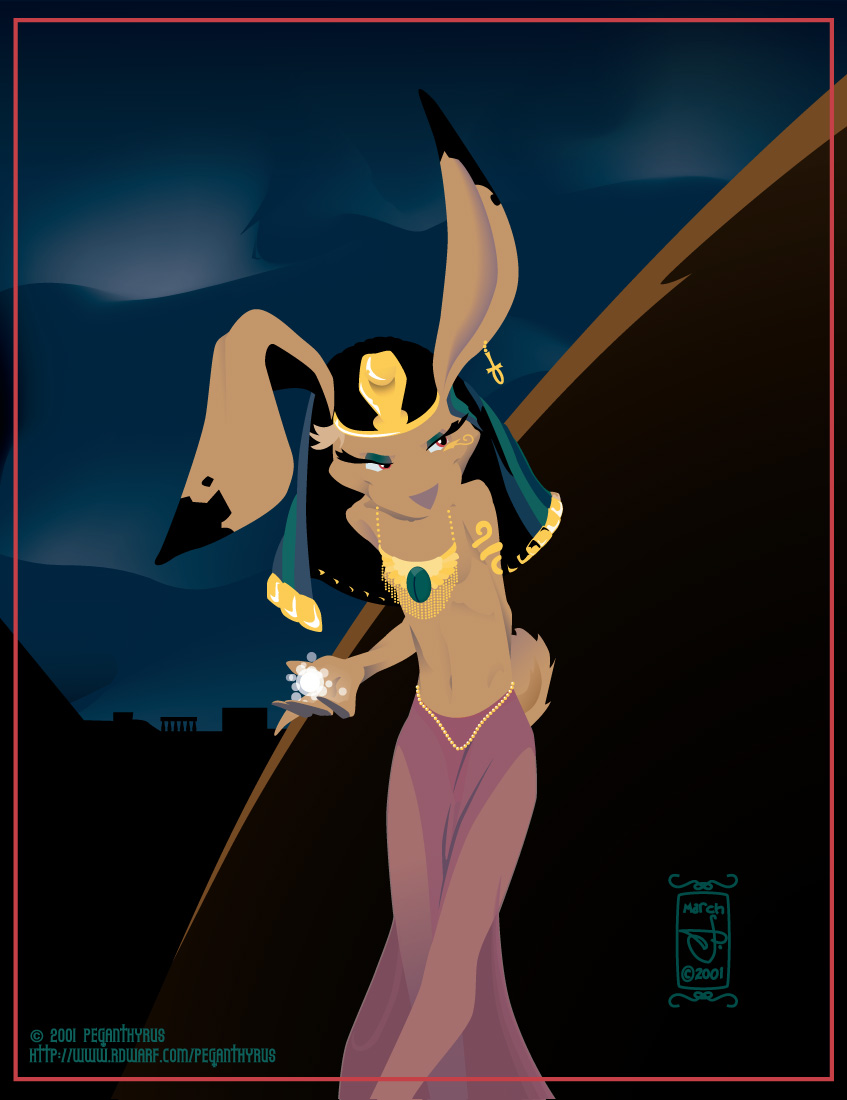
When I finished this, I suddenly remembered this old piece from March 2001. Apparently I did this over three days in Illustrator 9. Fourteen years has seen a lot of change in both my skills and Illustrator’s capabilities. (Well, I think I could have done all the tricks I used here in Illustrator 10 – but there is no way my computer would have been fast enough to handle them all.)

I also leaned on my past self: the jar on the left was plucked out of a recent page of Decrypting Rita, and the floor rug came from one of the Tarot cards. Both saw some modification but a lot of the basic work was already done.

Illustrator Brush Munger

One thing I’ve wanted for a while in Illustrator is the ability to randomly choose brushes. I finally wrote a script to make it happen.

1
2
3
4

So now you can draw a bunch of paths in, say, a “dying marker” brush, then decide it looks too obviously fake, make a few more (“dying marker 2/3/4…”), and randomize them.

Or you might make a “lovely fir tree” brush, draw a bunch of lines with it, then decide you want some variety and make a “lovely spruce tree” and “lovely larch tree” brush as well, and randomize them as well. Though if you added a “lovely sycamore tree” brush, the amount of name difference you’d have to allow for that one would probably end up selecting from almost every brush you had in the document. That’s what undo is for. And temporary brush renamings.

If this feels like a thing you could use then grab it here and put it in the scripts directory of your copy of Illustrator. Enjoy!