the dream of going home and visiting my mother’s shade

So there I was riding on top of a car, on my way back to the house I grew up in. I'd lost my socks on the way and my feet were chafing inside my shoes.

It was a bit of a post-apocalyptic hellscape but there were still a lot of cars on the road. Nobody was turning down onto Press, though. Everyone was staying on Chef Menteur. I hopped off the car and stood on the neutral ground, looking about. Even the fast food chains were abandoned on boarded up. Nobody wanted to live in this area any more.

But I went in. Passed a couple people walking. Got hassled by a dude on a bicycle with a lot of attitude. Who clearly was looking for someone to kill but I managed to get him to give up with the force of charisma. Hey, it was my dream, I can be incredibly charismatic if I like.

I made it to the house I grew up in. It was a giant mess. But my mom was there. Well, mostly. Her bedroom was dark and there was a vague shape on the bed, and a couple of things I was pretty sure were store-bought Get Well Soon balloons attached to various weights. But I couldn't see a damn thing in there. She was also puttering about the house, pointedly ignoring the fact that we both suspected that was her corpse in there.

Between intermittent attempts by that guy to kill me (and rollbacks when he succeeded, sometimes by really over the top methods like four airplanes firing grapples into the house and dragging it up off into the sky to uncertain doom), my mother took me up to a second floor that didn't exist in reality and showed me an old Bible. It was my grandfather's, and she wanted me to have it. I wouldn't read it, you know, I told her. And that was okay with her. She didn't care. But it meant something to her that I should take it. I dithered a bit, and accepted it.

Briefly it looked like things were getting better for the neighborhood – we thought we saw a taxi, there was a big crowd of policemen on bicycles passing through – but then it was just us and the guy who wanted to kill me, and the IR-sensing killer robot in the guise of a 3' tall grey-fur-covered rabbit, and his missile launcher. Cue a bunch of rapid rollbacks where I managed to evade this combo for about ten seconds longer each time, while trying to explain what was going on to my mother and pull her to safety too.

I woke up in the middle of that.

I'm going back to sleep. I don't feel ready to deal with the world after a dream like that.

Her Duty

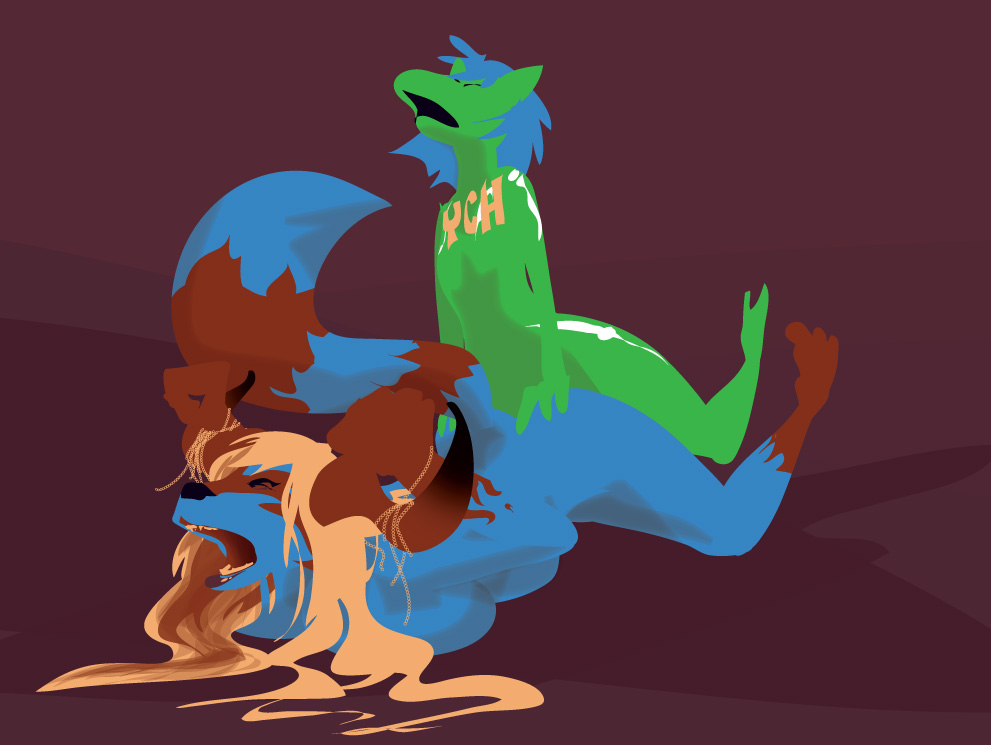
A friend drew some naked furry ladies, including a raccoon. Which made me want to draw a naked raccoon. Who was not Absinthe.

This is probably Kelvin. Either as a demon, or cosplaying a demon. It’s hard to tell; she’s been both.

Illustrator, 1:30.

I seem to have succubi on the mind lately. Probably because of spending a week throwing together a story about a witch and a succubus for the Beyond 2 anthology.

This was also interesting to do: the power is out right now, due to high winds. I sat in a nearly pitch-dark bedroom with my computer in my lap, burning through half my battery and drawing this. Hopefully the power will be restored when I wake up tomorrow; if not, I guess I’ll be going to a cafe and actually looking for a seat near a wall socket for once.

Artificial Urvogel Maintenance

Artificial Urvogel Maintenance

That dirty lady who draws scarily like me but is totally not me, honest, dropped by and left me this. She described it as “late night vaguely sequential doodling of kalinda as an imperious robot queen ordering her robot servant noelle to refill and pleasure her.”

Click for full-size.

Building Blocks

This morning, a friend was muttering on Twitter about how she always uses the same cute-Disney shapes for her stuff. And I was like, okay, take your same familiar characters, and draw them with *different* shapes and proportions, see what happens.

In general, I find that there are a few major ways to construct drawings: you can build them out of spheres and ovoids, out of rectangular blocks, or out of triangles. All of these methods have their advantages and disadvantages, and a pro is likely to use some or all of them at different points of the construction phase (and, to be honest, probably does a lot of it on ther head instead of on the page). But different characters have definite biases to certain shapes.

You probably have a default that all your characters trend towards if you’re not thinking too hard. A certain number of heads high. A bias towards ovals, triangles, or rectangles. Quite possibly this bias has something to do with what you see in the mirror; I know mine does.

So thinking about this suggested an exercise: get a little drunk (so you have an excuse to not care about making a “good drawing”) and draw some stuff that deliberately uses different shapes and proportions than your usual stuff. Were you weaned on three head tall Sonic character made out of spheres? Draw some nine head tall anime boys made out of triangles. Did you grow up drawing seven head tall superheros made out of bricks? Draw some rounded cuddly things. Mix it up, learn to draw some new shapes so that everything doesn’t kind of blend into this endless parade of the same two or three bodies with different hats and hairdos over and over again.

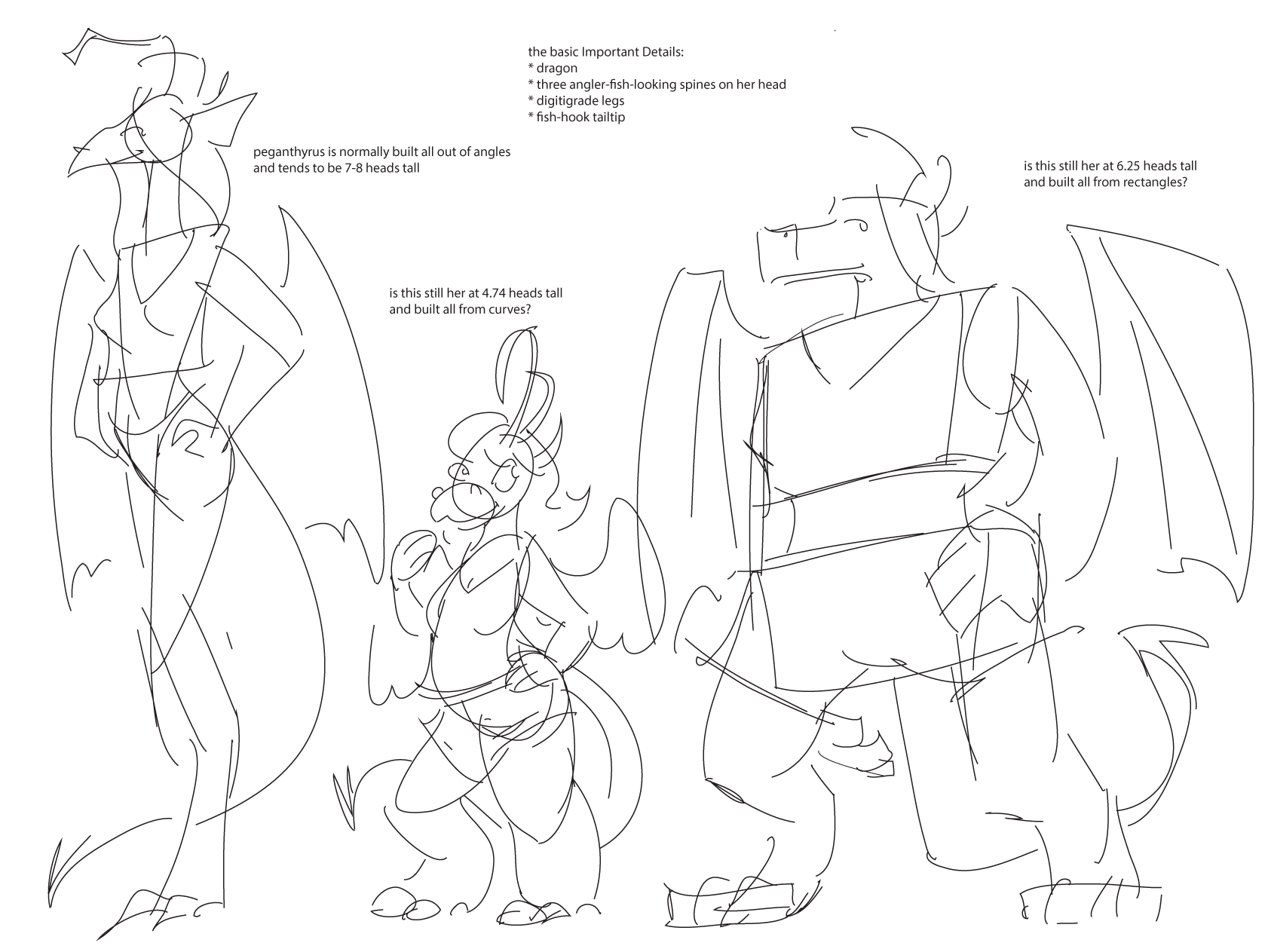
I was not willing to do this exercise too much myself today, but here’s a quick attempt at it: my dragon character Peganthyrus, who is all about the tall skinny triangular shapes, with the corners smoothed off, reinterpreted as a short assemblage of ovals, and a squat series of rectangles.

peggyvariants


(Because I am a horrible person, it quickly became established that Short, Rounded Peggy is an utterly vicious person who will as soon eat your arm as talk to you. Dragons are like that.)

Patreon note/short story update

At Further Confusion, one of my Patron backers noted that she’d actually probably not been paying me anything for a while, because the credit card that she was using expired. And I was like, ooh, that probably happened to other people – hell, I’d had to replace my credit card recently when I thought I lost my wallet.

So if you are one of my patrons who has been getting denied messages from the place, and you want to keep on supporting me in whatever the heck my future comic endeavors are, then maybe go here and type in your new credit card info. If you feel like you’re done giving me money now that Rita’s done, that’s cool too. I don’t buy everything by every creator I like either.

I will also note that I just posted a Patreon-exclusive teaser of a short story I’ve been working on this past week. AM I TRYING TO TEMPT YOU. Well, it’s about a witch and her succubus familiar-with-benefits, so probably.

a science fiction moment

I just sold some bitcoin so I could pay for continued work on a LED-festooned dragon head and for my booth at Emerald City Comic Con.

As always, this is not the dark cyberpunk future I was promised.

Meet My New Meta Key

Today, I had a brainstorm.

See, like most civilized people, I never use the Caps Lock key on my keyboard. But I have so many keyboard shortcuts in Illustrator that I frequently find myself having to mash down command-opt-shift-something. Which is annoying because it always requires two hands to press, and I’d really rather keep my right hand on my stylus.

So I brought up Karabiner, which I was already using to map the \ key to ‘forwards delete’, and told it to map Caps Lock to command-opt-shift. Which required visiting the system prefs to map Caps Lock to ’no effect’, then installing another piece of software from the same author to remap the key to a non-existant key, and writing a bit of XML to tell Karabiner to remap this fictional key to command-opt-shift. But I did it.

And now I can hit caps lock plus a letter key and bring up some very useful Illustrator shortcuts that I use on a pretty regular basis.

I am highly tempted to paint over ‘caps lock’ and draw ‘☆’ on the key instead, because I no longer have a caps lock. I have a new meta key.

Now if only I could tell OSX to show “⌥⇧⌘” prefixes to menu shortcuts as “☆” instead…

(I have some half-baked ideas involving adding a custom ligature to the font OSX uses for the menu bar, but that starts to sound like work.)

(Appendix: here is my custom.xml for Karabiner…

<?xml version="1.0"?>
<root>
<item>
<name>PC 'Menu' to ⌘-⌥-shift</name>
<identifier>remap.pc_menu_to_cmd_opt_shift</identifier>
<autogen>__KeyToKey__ KeyCode::PC_APPLICATION, KeyCode::COMMAND_L, ModifierFlag::OPTION_L | ModifierFlag::SHIFT_L</autogen>
</item>
</root>

…and a link to my current .kys file.)

a couple nakeds

slutty-bbw-kalinda

Last night I was trying to work on a new website design but got, ah, distracted by the model sheet of a friend’s very curvy character I have in one the test post on the local copy of my site. Wanking off to it felt kinda weird so I drew my cobra/archaeopteryx character Kalinda with similar proportions instead.

There is a layer in the source file that has nothing but her junk on it. It is called “fuck”. I thought you might want to know that.

Suvi

And this is from a couple days ago, this cute “furpent” showed up on my dash and I decided to draw her.

Game Design: MAD MOLESKIS!

Soooo this morning Nick and I were looking at Jeff Minter's tweets after an evening he'd spent playing terrible old video games and summing them up in snarky tweets. And I suggested that it would be highly entertaining to have a game jam using these tweets as design material.

And then Nick scrolled down Jeff's timeline and said, well, why limit it to just his retrogame tweets? Because “Live on Periscope: Inserting Digestive biscuits into sheep” sounds pretty good too.

We started brainstorming this. So obviously you have to be in a submarine, because you're using a periscope, right? (We'll willfully ignore the fact that “Periscope” is the name of a video streaming app.) And if you're in a submarine under a pasture, it must actually be a subterrene, right? Obviously it is piloted by a mole. So you are of course a mole staring into a big clunky periscope, shooting biscuits at sheep to feed them.

And you can run out of biscuits, so you have to dispatch a mole to go stand in the queue at a British supermarket and buy a packet of biscuits to feed the sheep. This is shown in jerky 8 bit animation on a secondary monitor stuffed into your subterrene's cockpit.

And there are other controls, strewn awkwardly across the screen. You interface with this absurdly complicated control panel by using the left and right thumb sticks to move your huge mole claws around and press buttons. Want to move the subterrene? There's a lever on the side to throw it into forwards or reverse. Want to turn it? There's a big wheel to turn.

Your goal? Feed the sheep. But not too much. If you over feed them they get so full they explode. Which is a thing you need to do in later levels when wolves show up; if a wolf eats a sheep who's about to explode then they explode too. Eventually the sheep wander into their barn for the night and the days points are ticked off, with various absurd bonuses.

As the game goes on you start getting more controls, to the point where you have to start scrolling the screen to turn around in your tiny little cramped cockpit. Manage your crew of inept moles to keep the ship running! Send minions out to buy lawnmowers to break down for parts to repair the sub! And whatever other stupid low-res problems a crew of moles feeding sheep might have.

Also because autocomplete just turned “Mad Moles” into “Mad Moleskines”, they are now comedy Russian “MOLESKIS”.

I'll start on the prototype and the Kickstarter pitch immediately.


schooling: clouds

Over on the Illustrator subreddit, someone posted a link to this image, asking “is it possible to make something like this in Illustrator”:

what_only_exists_in_the_mind_by_veinsofmercury-d8wrezd

“What Only Exists In The Mind”, by Jeffrey Smith

And it got the usual “not really, use photoshop/uh I guess you could use gradient meshes but use photoshop/you could but it’d take years, use photoshop” answers from people whose knowledge of Illustrator kinda stops at the pen tool.

Me? I looked at it and was like, yeah, pretty easily. Lots of organic pencil tool shapes, do some blurred shapes for the smooth hills, stack up some transparency in one of the ‘light’ blend modes for the tonal shift in the sky, make some art brushes for most of the tree you’re good. I tossed off a quick reply to that effect and went to bed.

I woke up to a reply saying “I call bullshit”.

And I was like, oh, kid, it’s on now.

So I got out of bed and got to work. Forty minutes later, I had this.

clounds

Which obviously is not as intricately done as the original image, and doesn’t have the knowledge of How To Clouds that the original artist seems to have been building for about a decade or so (seriously this guy can clouds wicked good, like half his gallery is is full of meticulously-rendered cloudscapes). But I was like, yeah, if I was willing to spend a whole day drawing clouds at about 4x the size of the jpeg under discussion, I could get a sky like that image. “Doing the rolling hills and mountain is left as an exercise for the reader.”

I replied with my quickie rough and those caveats, and got a ‘holy shit!’-toned reply back. Yeah, I’m just that good. *preen*

Clouds

And then I spent about fifty minutes on a picture of myself blowing a cloud off my stylus like a gunslinger after a trick shot, with some of my own usual tricks for clouds added to the mix – various amounts of gaussian blur, a bit more roughen/tweak effect here and there, and of course a mezzotinted overlay for texture. I’m still not as good at clouds as Mr. Smith is and probably never will be, given that his handle is “Ascending Storm”, but I’m pretty happy with how this one came out.

If you want to see how it’s done, a CS6 source file is here: clounds-cs6.ai (I use CC2016; CS6 is the oldest version it’d save it as without crunching the blurs into an uneditable bitmap.) Or you can read about the tricks I used to draw this in a fraction of the time you think it took if all you know is the pen tool.

Screen Shot 2016-02-26 at 12.45.19 PM

The basic appearance of the cloud shapes is this:Screen Shot 2016-02-26 at 11.20.49 AM

Roughen in this case was set to 4pt, absolute size, 15/in, and tweak was set to 3% horizontal and vertical, only modify in/out control points. This results in a simple ovoid squiggle becoming something kinds complicated and cloudy:

Screen Shot 2016-02-26 at 11.23.03 AM

Draw a big white bubbly cartoon cloud, add this effect, and suddenly you’ve got all these fiddly vaporous bits. Change the fill color to black and start drawing some shapes at 50-70% opacity, maybe switch back to white and a high opacity and add in a few inner highlights, and pretty soon you’ll have some nice stormclouds with very little work. (Protip: go into the ‘tools’ section of Illustrator’s keyboard shortcuts and assign the number keys to 10-100% opacity, then you can switch opacity on the fly.)

You can further complicate this; Smith’s work has fairly discrete colors and really solid, heavy clouds, but I prefer more vaporous clouds on sunnier days. So for the self-portrait clouds I added a little bit of gaussian blur. Not much, just like 2-5 pixels worth on different shapes as I went out towards the left edge of the cloud. (Process: select a handful of shapes, press the hotkey I’ve made for gaussian blur, frob the slider, hit okay. Select more shapes further down, repeat.)

Screen Shot 2016-02-26 at 11.30.21 AM

That still looked a little chunky, so I targeted the layer and added a bit more roughening, tweaking, and blurring to the entire cloud at once:

Screen Shot 2016-02-26 at 11.36.52 AM


You can target a layer for effects by clicking the circle on its right in the layers palette; the dark circle on the ‘clound‘ layer indicates that there’s an effect applied. These are some pretty subtle effects – roughen is 1pt absolute, 47/in; tweak is 2pt, modifying anchor points and ‘out’ control points; the gaussian blur is 1.7 px. All of these numbers are ones I arrived at by the time-honored method of yanking the slider to a random point that felt about right and tweaking it until it looked good; I’ve been using these effects long enough that I have a general sense of how it’s gonna look.

You can, of course, compact more of the shapes in the cloud into one path. I did a lot of the shading on the figure with this appearance stack:

Screen Shot 2016-02-26 at 11.43.09 AM

Two quick paths become like six super-ragged, fiddly, translucent shapes, for some nice smooth and textured shading done in seconds. There’s a few interesting tricks going on with this appearance stack, so I’ll dissect it a bit more.

The ‘add’ at the top seems to do nothing if it’s the only effect on a path. Go on, try it – draw a quick shape with the pencil tool, give it a fill color, and add the ‘add’ effect. Nothing seems to change. But if you switch to a stoked path, you’ll see the difference: the ‘add’ effect forces Illustrator to close your sloppily-drawn open path for you This is important down below in the top two fills, because it completely changes how ‘offset path’ functions…

Screen Shot 2016-02-26 at 11.50.44 AM

See? Turn it off, and the two fills with an ‘offset path’ effect turn into what looks like a simple, boring stroke. (I’ve also turned off the roughens and tweaks to show this better.)

Screen Shot 2016-02-26 at 11.49.23 AM

I mean, it’s not like there isn’t a cool watercolor edge effect kind of thing going on here, but it’s just not much good for multiplying your effort by drawing one path and having Illustrator lay down two or three more similar-but-different ones, right? But doing the ‘add’ effect (it’s under the Pathfinder effects, btw) closes the path, and suddenly ‘offset path’ starts outputting a slightly larger or smaller copy of the whole shape.

Each added fill is offset a different amount from the base shape; they’re also tweaked up at a large scale (5pt, out control points only), then roughened (4pt absolute, 15/in), then tweaked again (3%, in/out control points) to jank them up nicely.

As to the figure? Since I was being quick and lazy, I googled ‘blow smoke from gun’ to get a general idea of the pose, dropped the first one with a good silhouette into Illustrator (the second one on the results page), and quickly sketched the outlines of the major shapes with the pencil tool.

Screen Shot 2016-02-26 at 12.51.08 PM

I then deleted the image, drew solid shapes that looked like what I see in the mirror, drew some loose shading with that cloud appearance, and added some more shading with the appearance stack outlined above. Mix in a photo of my Wacom stylus to get its proportions dead on, and a few minutes looking at how I hold it when I lift it up nearly vertically, and I was pretty much done.

(That probably sounds pretty cavalier; honestly after drawing for twenty years it really is that simple to me. As always, the big major tips for this are “learn to draw for real”, and “double-click the pencil tool, turn on ‘fill new paths’ and ‘edit selected’ and turn off ‘keep selected’, then you can very rapidly swish out solid shapes with your Wacom tablet and throw your RSI-inducing mouse in the trash where it belongs.)

And for the finishing touch, I added one of my trademark cheats to make an image look a lot more detailed than it really is: make a new layer, draw a big rectangle that covers the whole image, add the mezzotint effect, then target the layer and set it to about 12-25% hard or soft light. I do the transparency on the layer rather than the mezzotinted rectangle because that way Illustrator doesn’t try to re-render the mezzotint effect every time I tweak the transparency.