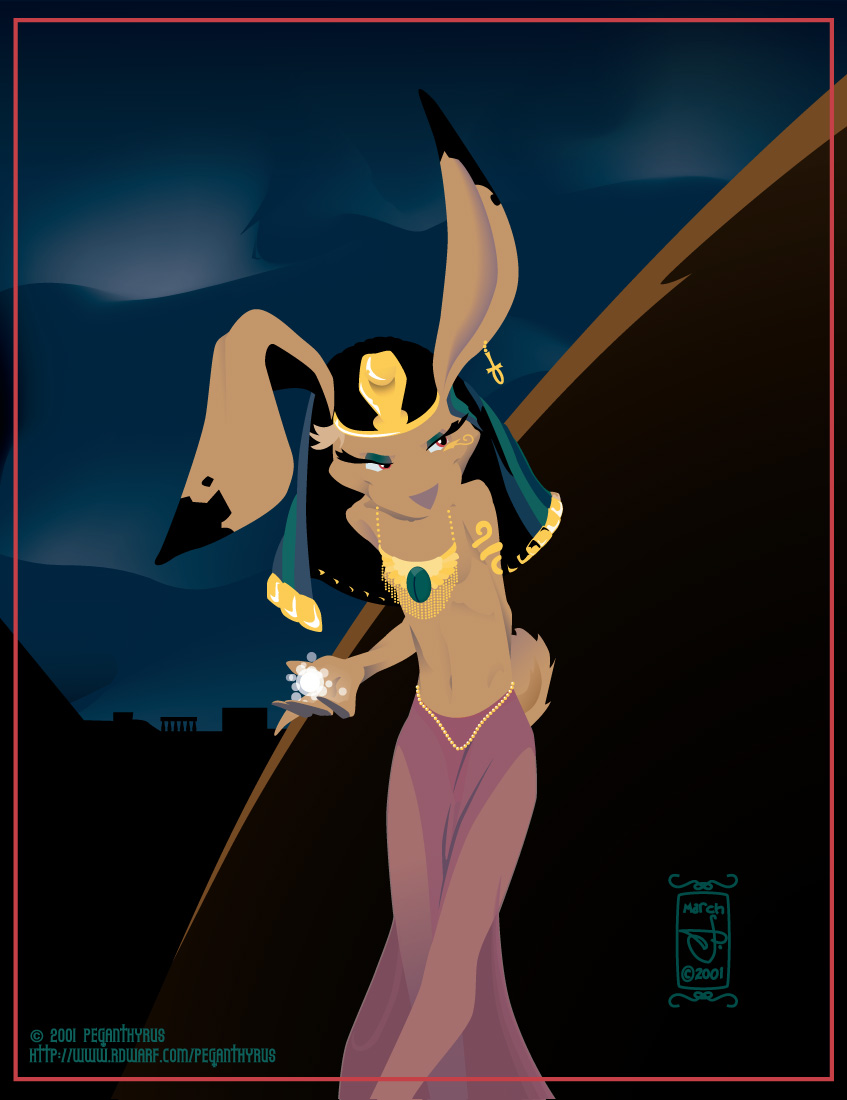
Illustrator Wish List, April 2015.

This is my list of things I’d like to see in Illustrator. Everyone who uses it probably has one; this is mine.

Everything is ready to be cut and paste into Adobe’s feature request/bug report form; I keep these in an Evernote note that’s slowly expanding over the years as my usage of Illustrator changes.


*******Enhancement / FMR*********

 Brief title for your desired feature:
View rotation.
 How would you like the feature to work?
I would like to be able to rotate my view of the working area. Similarly to Photoshop’s ‘Rotate View’ tool.
 Why is this feature important to you?
Sometimes you want to draw stuff upside down or sideways. You can rotate everything in the image but that’s kind of a pain in the ass when you’ve got a complicated piece with a bunch of locked layers and whatnot.

*******Enhancement / FMR*********

 Brief title for your desired feature:
Layer freezing.
 How would you like the feature to work?
Currently, layers can be locked, or unlocked. I would like to have a third mode: ‘frozen’, where the layer is locked, and a bitmap of the entire layer is cached. This bitmap is then used for rendering the preview, until such time as the layer is unfrozen.
I imagine this being invoked by shift- or control-clicking on the layer’s visibility eye in the layers palette; the eye would be replaced by a snowflake or some other indication of it being ‘frozen’.
 Why is this feature important to you?
When doing very complicated artwork, sometimes Illustrator’s live preview starts to become impossibly slow. Distorted dense fill patterns, lots of art brushes full of translucent shapes, complicated high-res bitmap effects… these are all things that I would like to explore in my work, but don’t, because I need to have fast response time in my drawing tool.

*******Enhancement / FMR*********

 Brief title for your desired feature:
Assignable keyboard shortcuts for EVERYTHING.
 How would you like the feature to work?
In the ‘keyboard shortcuts’ dialogue, I would like to have a section that contains the flyout menu items and buttons of every palette.
Ideally this would be automatically populated when a palette is created, so that palettes created by 3rd-party plugins would be able to take advantage of this without a new version.
Currently there is an ‘other panels’ section in the assignable menu commands that lets you assign keystrokes to ten seemingly-arbitrary palette menu items.
 Why is this feature important to you?
I run Illustrator with one hand on the keyboard and one hand on the stylus. There are things I’d like to be able to assign keystrokes to hiding in those various palette flyout menus.
*******Enhancement / FMR*********
Brief title for your desired feature:
Brush Groups.
How would you like the feature to work?
I would like to be able to select several brushes in the Brush palette, then press a ‘make brush group’ button on the palette.
I would then be able to choose this brush group as if it were a brush. Drawing with this brush group would choose a different brush in the group at random for every new path I created.
I might have a ‘brush group options’ dialogue box wherein I could choose the relative frequencies of the different brushes in the group, switch it between random choice and cycling between brushes in order, give it a name, and… whatever other features seem to need to be in there once it starts taking shape, really.
Ideally, I would be able to have a brush in multiple groups. I would also be able to have brushes of different types in one group – if I wanted to mix an art brush with a scatter brush, for instance, I could.
And ideally, altering the brush group would alter existing paths drawn using the brush group. This might be a choice similar to how changing the settings of a brush that’s in use asks if you want to apply the changes to all existing paths that use it.
Why is this feature important to you?
I’ve been dabbling with a more ‘natural media’ look in Illustrator. For my purposes, art brushes seem to be working best, but I’ll often start to notice the same repeated features of an art brush sticking out of my drawings. If I could make, say, ten “dry brush” brushes, and have Illustrator constantly swapping between them, this would make the illusion of real media a lot easier to keep up.
Similarly, I use a lot of scatter brushes for things like trees or grass. It would be useful to be able to have several different ‘leaf’ scatter brushes and just scribble in a few overlapping strokes that automatically pick between them.
I would also be able to create Graphic Styles that call for the use of a brush group on a stroke instead of a single brush.
*******Enhancement / FMR*********
Brief title for your desired feature:
Scatter Brush ‘scatter magnitude’ slider.
How would you like the feature to work?
I would like to see a new pair of sliders in the scatter brush options that controls how ‘powerful’ the scatter is.
Each instance of the brush image would have its distance from the central path, as defined by the ‘scatter’ slider(s), multiplied by this value. So if it was at 0%, any effect of the scatter sliders would be completely nullified, if it was at 1000%, the effect of the scatter sliders would be multiplied by ten.
Why is this feature important to you?
I would like to create scatter brushes whose overall width profile varies with the pressure of my stylus.
*******Enhancement / FMR*********
Brief title for your desired feature:
Auto-generate an opacity mask from the Appearance palette.
How would you like the feature to work?
I would like to be able to add strokes and/or fills to a path via the Appearance palette, and have these paths show up in an auto-generated opacity mask for the path instead.
Possibly this might be done by having a ‘create opacity mask’ live effect, with the ‘clip’ and ‘invert mask’ options available, that I could then place additional strokes and fills within.
Alternatively there might be a way to say ‘this fill/stroke goes in the opacity mask’ – probably also a live effect.
Multiple strokes/fills set to go into the opacity mask should all end up in the same mask.
Why is this feature important to you?
I’ve been experimenting with ways to create soft edges and stylized natural textures in my work. I find myself wishing for this to be able to quickly and easily create, say, an erratically faded and mottled edge to a filled path by giving it an opacity mask made up of a jagged white-to-black fade pattern brush, plus some black spots from a scatter brush.
******BUG******
Concise problem statement:
Selecting multiple fills/strokes in the appearance palette, then changing settings in the other palette, only changes the first one in the list.
Steps to reproduce bug:
1. Set the fill color to red.
2. Add a new fill, make it blue.
3. Shift-select both of these fills in the Appearance palette.
4. In the Color palette, choose green.
Results:
One fill changes to green; the other remains its original color.
Expected results:
Both fills change to green.
(This is a trivial example; in actuality I find myself swearing at this bug when I have a couple of gradient fills stacked in the appearance palette, or a couple of strokes with different dash patterns and want to change their colors. It also extends to pretty much every setting you can manipulate in other panels – transparency, brushes, stroke, whatever.)
******BUG******
Concise problem statement:
Every text object I create is C0 M0 Y0 K100 regardless of what I have set as my current appearance.
Steps to reproduce bug:
1. Open the ‘neon effects’ appearance library. Choose the ‘thin red neon’ style.
2. In the Appearance panel’s menu, turn off ‘new art has basic appearance’.
3. Draw a shape of some kind; admire the neon effect.
4. Choose the type tool.
5. Drag out a text box or click to create point text.
6. Type some stuff.
Results:
Black text.
Expected results:
Red neon text.
This happens with simpler appearances too; I chose the ‘neon’ effect because it highlights the fact that any and all appearances are dropped.
******BUG******
Concise problem statement:
Illustrator does not record entering/exiting an opacity mask when creating an action.
Steps to reproduce bug:
1. New layer; draw a grey shape.
2. Target the layer in the layer palette, and begin recording an action.
3. Copy the grey shape. Create an opacity mask for the layer. Switch to the opacity mask. Paste the shape. Leave the opacity mask.
4. Make another layer and draw a grey shape in it.
5. Target the layer in the layer palette.
6. Run the action you recorded.
Results:
The opacity mask created by the action is empty.
Expected results:
The layer opacity mask created by the action should have a copy of the shape drawn in step 4, just as the layer opacity mask created while recording the action has a copy of the shape drawn in step 1.
*******Enhancement / FMR*********
Brief title for your desired feature:
Ponies.
How would you like the feature to work?
Illustrator should make a pony magically appear in my front yard.
Why is this feature important to you?
What girl doesn’t want a pony?

more processing a level up

One more thing about that faux-natural media piece and then I promise I’ll shut up about it and get back to making more art.

I’ve tried doing similar tricks in the past for many years. This is the first time I was able to do it and not have to constantly be thinking about how I’d do it. Oh sure, there were technical things to fiddle with, but I feel like I was working from a solid basis of some pre-defined graphic styles that I could quickly modify for the drawing at hand. I really did build a toolkit when I sat there doing Drowning City test stuff; most of my thoughts were entirely about the image and how it was developing, rather than “how can I make it look the way I want it to”. Every technical problem was something I’d solved already, and could grab my solution to without much work.

So yeah. Definitely a level up there.

If I am even moderately diligent about dropping new styles and whatnot into my toolkit as I create them for Drowning City, I should be able to do some pretty damn impressive things when I finish that project. Will the project after that be painterly? Hell if I know. But I bet it’ll be pretty easy to do it that way if I want to.

level up

Hmm. So I keep looking at that genie “painting” I did yesterday, and I keep loving it. This is a place I’ve wanted to be with my art for years, but my love of Illustrator kept me away from. I could have been doing painterly cartoon stuff in Photoshop or Painter, but I couldn’t stand to lose all that lovely, lovely editability. Now Illustrator’s had a pass or two of speed optimization on these features, my computer’s an order of magnitude or two more powerful, and I can do things like “put the ‘roughen’ effect on 75% of the paths I draw in this image” and still have things run fast enough to be interactive at the very end of the drawing. Back when the features I’m leaning on were first introduced I tried doing painterly stuff and everything quickly ground to a halt.

Admittedly it can’t be hurting that I’ve also gotten a good handle on highly limited silhouettes and shading. But a lot of it is that my tools can finally manifest my vision.

I’ve been really pushing to figure this sort of look out for The Drowning City, and now I’m completely sure that I can make it look exactly like it needs to be. City is probably going to stay mostly greyscale but I’m pretty confident that I can speed up a lot of the process enough to keep it looking moody and painterly.

I wonder what kind of experiments I’ll be doing when I finish that book, a few years down the line. My skills and tools will have advanced another leap. Who knows?

But right now I should stop pondering the future so much and get back to work on Decrypting Rita. It’s astoundingly close to done; I just have a few mega-complicated pages staring me down, plus a couple dozen simple ones. None of them are gonna draw themselves.

Sandstorm

Sandstorm

Three bowls of Kosher Kush. Five hours. 100% Illustrator.


Anticipation

When I finished this, I suddenly remembered this old piece from March 2001. Apparently I did this over three days in Illustrator 9. Fourteen years has seen a lot of change in both my skills and Illustrator’s capabilities. (Well, I think I could have done all the tricks I used here in Illustrator 10 – but there is no way my computer would have been fast enough to handle them all.)

I also leaned on my past self: the jar on the left was plucked out of a recent page of Decrypting Rita, and the floor rug came from one of the Tarot cards. Both saw some modification but a lot of the basic work was already done.

Illustrator Brush Munger

One thing I’ve wanted for a while in Illustrator is the ability to randomly choose brushes. I finally wrote a script to make it happen.

1
2
3
4

So now you can draw a bunch of paths in, say, a “dying marker” brush, then decide it looks too obviously fake, make a few more (“dying marker 2/3/4…”), and randomize them.

Or you might make a “lovely fir tree” brush, draw a bunch of lines with it, then decide you want some variety and make a “lovely spruce tree” and “lovely larch tree” brush as well, and randomize them as well. Though if you added a “lovely sycamore tree” brush, the amount of name difference you’d have to allow for that one would probably end up selecting from almost every brush you had in the document. That’s what undo is for. And temporary brush renamings.

If this feels like a thing you could use then grab it here and put it in the scripts directory of your copy of Illustrator. Enjoy!

stuff I did today: multi-day edition

After ECCC, I came home and pretty much crashed for a couple of days. I spent like two days sitting in the living room in the dark playing Bloodborne; the third day was only half spent doing that, because Nick came over Tuesday night and we hung out some on Wednesday morning.
Today, I actually opened up the stuff I took to the con and put away all the merch I didn’t sell. I still have to put the other table stuff back in its usual place, but not today.
I also deposited the cash I got from the con – both profits and my boothmates paying their share. Putting $700 into an ATM is an odd experience.
Before that, I took a walk out through the park. It was really nice to be outside in the sun and not have to see very many people, and not have to worry about giving my pitch to a single one of them. Though I did end up giving my pitch today – I stopped at the comic shop to pick up a couple books they’d ordered for me, and mentioned I was paying cash for these two pricey hardbacks because I’d done well at ECCC, which lead to being asked what my comic was.

I did play some more Bloodborne. I made another run at the second boss (Father Gascoigne); I can get him into his final mode, and down to about 1/6 of his health, but I couldn’t quite seal the deal. If someone happens to rate one of my messages positively while I’m in the middle of my next attempt I’ll probably have him. And I might have him anyway, as said next attempt will be after a little grinding, which will probably result in both a level gain and a weapon upgrade for me. I’m quite sure whatever’s next will kick my ass in many ways.

I think a lot of the appeal of From’s games for me is the exploration. There is a part of my brain that is made very happy by things like “taking a long, winding path that leads to a place not too far from where I started, and finding a shortcut” or “seeing a place, wondering if I can get there, and finally piecing together enough of a mental map to get there”. The harsh difficulty of the game means you spend a lot of time going over the same places; the huge budget for modelling the world means it’s chock full of unique details and landmarks that make building a mental map a lot easier than most repetitive game worlds. I may never see the ending cinematic of this game or Dark Souls, let alone get 100% on either, but that’s not the point of these things for me at all. They’re just… a gorgeous theme park, with a lot of murder mixed in. And it makes my brain very happy to build a little mental model of these horrible labyrinths.

Or maybe the utter futility is part of the point for me. I’m not sure.

On pitching.

A tweet replying to that last post: “you may wish you were better at socializing but I am in envy of your concise pitching skills.”

Let me try to pass on some of those skills…

My pitches for my stuff are tight little nuggets of words. They start with a few hours sitting alone, contemplating the work at hand. I have one question in mind for a story: what's the emotional hook? When I find that, the next question is, how can I make it a surprise?

The naive way to pitch a story is to just start telling it. Let's say I was trying to pitch “Back To The Future”: “So there's this kid Marty, who likes to play guitars, and he has this crazy friend who's like a mad scientist, his name's Doc, and he makes all these wild inventions that are all totally useless until one day he takes a Delorean and turns it into a time machine, and…” By the time you get to what actually matters about the story the person you're telling it to has probably walked away. Or you've told the whole thing, spoilers and all, and why do they need to actually read it now? You gave it all away, right down to the uncomfortable moment where a suburban white kid co-opts the invention of rock and roll.

So we want to be more succinct. BTTF's central plot is that when Marty goes back to the 50s, his mother falls in love with him instead of his dorky father, and the resulting paradox begins to slowly erase his existence. He's got to play matchmaker, and then get back to his home time of the 80s. That's shorter but it's still a hell of a lot of words.

Someone standing on the other side of your table at a con is overwhelmed with information. The less you make them process, the better. Does it matter what the hero's name is? Nope. Take out the details that don't matter: “It's about a kid who goes back in time and falls in love with his mother. He's got to make her love his father instead before paradox wipes him out of existence.”

One short sentence with the simplest words possible that will reach out and grab your audience by the feels. Ideally there's a bit of a twist; “falls in love with his mother” isn't something that you would normally expect after “goes back in time”. That surprises the listener. You've got their attention; you've posed a problem, now you complicate it with the second sentence: he's got to play matchmaker, with the universe providing a harsh time limit.

So when I pitch Rita, I don't tell people about the details. I just say “It's about a robot lady dragged out of reality by her ex-boyfriend.” They laugh. Almost everyone has had That One Ex who drags then into their own special world of craziness, or knows someone who has; it's a situation they can sympathize with. And then the second sentence complicates her problem, and raises the stakes: “She's got to pull herself together across four parallel worlds before a hive-mind can take over the planet.” A bunch of complicated concepts that I really don't think people would be interested in without the emotional hook, but the first sentence has them already rooting for Rita, and starting to be willing to follow her through her particular odyssey.

It's kind of like reducing the entire story to a haiku. Meter is important; it has to flow off the tongue in an easy rhythm. And you need a surprising twist. This pitch was originally a little longer, but repeating it a few hundred times at every con for the past three years has smoothed all the sharp corners off and turned it into something that just falls out of my mouth automatically.

(I also have a shorter, snarkier version that I mostly use when I don't need to sell it to someone and want to express my delight that I'm making a living with something this absurd: “it's about a lesbian robot with PKD problems”. Which actually sold a book this weekend to someone who reflexively unpacks “PKD” into “Philip K Dick”. It's risky to do this IMHO, as it limits the appeal to people who do that. Same with saying “it's Mage, The Hero Discovered meets Rozencrantz & Guildenstern Are Dead” or whatever two existing works it can be defined in terms of – that's an accurate description of my long-gestating next comic, but utter gibberish to anyone who's not familiar with both stories.)

I don't unload the whole pitch at once. Someone stops at my table and starts looking at my stuff, they get told “I have prints, a Tarot deck, and a comic about a robot lady dragged out of reality by her ex-boyfriend.” If they gravitate to the deck, they start getting its pitch (which is a very different beast, as it's not a STORY I'm selling there). If they laugh at the ex-boyfriend line – especially if they say something like “oh I've had that happen!” then they get the second sentence of the Rita pitch, and an encouragement to flip through the book. If they pick it up, I tell them it's book 1 of 3, the last one will be on the Kickstarters around summer, and let them read. Eventually they either buy the book, move to the deck, or say “thanks” and walk away; the last gets told “take a flyer, you can read it all for free online.”

The deck's pitch is different. There's no emotion there, all I've found is a list of facts: “this is my Tarot deck, 99 cards, based on the Thoth and Golden Dawn decks, hidden images that appear when the light hits some cards just right. Comes with a full-color book, and is fully prepared to give you the finger.” I'll leave the bit about its heritage out sometimes based on how likely I think the viewer is to know what that means; if they stick around and dig through it I'll tell them that eventually. If they go “Ooh! A Tarot deck!” and make a beeline from across the aisle, and I see some occult signifiers (jewelry, tattoos, etc) then they definitely get it.

Some people don't show a reaction to any of my pitches. That's fine. I don't hector them; I say something like “thanks for stopping by, have an awesome con!” and let them move on. My work is not for everyone and never will be, and I'm fine with that. I also don't try to drag in everyone who comes within shouting distance of my table; I try to draw in people whose gaze lingers on my work, and if they slow to a stop they get the beginning of the pitches. I've seen people do well with more aggressive huckstering but I'm really not comfortable with it; it tends to push away the people who aren't interested, and away from your neighbor as well. I'm never happy when I'm next to one of those folks.

Nobody standing on the other side of your table for the first time cares what the name of your main character is. Or how long the book is, or what genre it can be pigeonholed into. Telling them this is just more random trivia to bounce around in a brain already full of all the other sights and sounds of the con.

You've got about fifteen seconds to engage a random con-goer's emotional mirroring circuitry. Make them count. Once you've got that, then you can tell them a little about your crazy dystopia where everyone is given a color-coded jumpsuit at the age of 25 and sent out into an uncaring world of elves and orcs, or whatever particular sf/f bullshit you thought would be cool to write a story about.

More on ECCC.

Some scattered thoughts about ECCC.

Best cosplay: the guy as Scarlet Witch. Headpiece, cape, tights, and very very filled bikini bottom. Nothing else. I think I lost a sale by pausing in the middle of my pitch to whoop my approval at him. Did not care. Was so worth it.

Weirdest question: someone passing my table asked “do you have any Final Fantasy fan art?”. The idea of going to a con and looking for fan art of a specific franchise just feels so alien to me.

I wish I was better at socializing.


ECCC 2015

That was a pretty damn good con.

At the end of ECCC2014, I impulsively got together a few friends to share two booths this year. I asked for a location either in the middle of the second hall, or in the first hall.

We got into the first hall. This meant that a huge percentage of the 80k people attending the show passed by our booths. Not all of them did, and only some of them stopped, and only some of them spent money. But I made back my portion of the booth on the first day, and did at least similarly well each of the next days. And I went through a little more than 300 business cards. I don’t expect more than a small percentage of the people who picked those up to come visit my site, let alone give me money in the future, but I’ve still definitely expanded my audience. Which is my primary reason to go to these things right now.

That said, the money I got at this con plus the money I’m making from Patreon this month is going to be able to pay my rent. And I’m pretty goddamn happy about that! I am finally a Pro Artist.

Things I need to do for next year:
– amend my signage to include the blurb Phil Foglio was gracious enough to give me – I was about one diagonal block away from his booth and saw a lot more people sporting Girl Genius shirts than I have before.
– add some Rita prints to the print book (at the suggestion of some fans who wanted to buy just that, and were kind enough to point out panels they thought would work well)
– have some stickers/buttons/some kind of cheap little purchase, both for returning fans who I can’t quite give a new book to yet, and for people who’re in the Just Curious stage. Probably stickers; they’re very flat. I like flat things. They’re compact.

Also I think I need to replace my sign with a taller one. I’ve been wanting to do that for a while.

Only half of the folks at my pair of booths made a profit, but everyone is down for doing this next year. So I signed up for two booths again. Here’s hoping I can still have the same awesome placement.

(Protip: When applying for a con, look at the map of last year and ask for a good location. You might not get it but you sure won’t get it if you don’t ask.)

And now I am going to sit in the living room and play Bloodborne for a couple of days. 

Wifi splitter?

This year at ECCC, phone reception was abysmal. And the Internet was usurious – $150 per device for the weekend, not too good when you have six people in one booth. Or $2400 for them to drop a wireless repeater in your booth. Or $3500 for them to run a dedicated line to a hotspot in your booth. Neither of these two options were attractive either.

But then again, neither is trying to use Square’s offline mode and discovering that it drops everything it’s cached when your phone runs out of juice. Which is more likely to happen when it’s trying to get signal in a crowded environment like a con. So that’s a hundred or two of card payments I’m out from today. The rest of the con is gonna be cash only, I think.

I’m probably going to do a group booth again next year. I’d like to have something in my bag to let me connect to the convention center internet and only pay once, then act as a hotspot so everyone in my booth can happily take credit cards all day. Is there a good way to do this? It’ll have to have some way of browsing the web, to log into the portal and pay their $$$. It’ll also need to run on batteries, ideally for about 8-10 hours without a recharge…

Any other suggestions for ways to get internet in the middle of ~80k people tweeting instagramming vining etc their con without spending more money than we can reliably expect to take in are welcome.

—-

edit. AHA, I did some digging and found MyWi which lets a jailbroken iPhone do what I am looking for. Now to get EVERYONE to bring spare USB batteries tomorrow, especially since I am a moron who left her emptied-out battery at the table…

Edit again, after the con: it turns out that Square’s offline mode DOES keep everything, it just takes a little while to show up in the recent transactions tab. And it also turned out that the convention center’s wifi is wise to my wifi-sharing tricks and refused to work, boooo. I’ll be doing ECCC2016 in Square’s offline mode unless I can hook up with like 8 other people besides my crew to split the $2400 cost of an official repeater down to almost sane levels.