Cracked By BDE

Yesterday I had a drunken urge to draw my fursona in the c64 palette, which then progressed into seeing how far I could get into making Illustrator render my crisp vector shapes into the distinctive 2:1 aspect ratio of the c64’s “multicolor” mode. And then I added some semblance of a CRT’s phosphor pattern, and changed the pixel aspect ratio transformation to precisely match the 1:0.75/2:0.75 ratio that an NTSC C64 would generate. And finally I fooled around with a few different palettes and found one that felt like it matched my memories of my own c64 – there are a lot of different palettes claiming to reproduce the c64’s output. And now I think this piece is Definitely Done.

(There are multiple reasons for this variety in what people claim were “the c64’s colors” but there are two main ones: firstly, the initial version of the video chip only had three luminance values for every color that was not black or white. This meant that everything blended into a total mess on a B&W TV. Which was still a thing that people would plug their computers into back then. So there was a revision of the chip that spread it out more, with those fourteen different colors getting sorted across seven different luminance levels. And second, there was a potentiometer sitting on the c64’s circuit board that controlled the overall saturation of the output; during assembly and testing, the workers were supposed to look at a screen and carefully use a screwdriver to turn this tiny knob until colors started to appear, but once the c64 started selling like crazy they didn’t have time to do that and meet quotas so they just cranked it all the way up. Add a lot of variance with how your TV was adjusted, and there’s even more spread.)

anyway here is some music to go with the rest of this post and better simulate the experience of being a teenager in the late eighties with a Commodore 64 and a bunch of weird games you downloaded from a local BBS that reference UK pop culture you have never heard of

Here’s a few images of this process from “fifteen minute drawing in the c64 palette” to “a big pile of effects that more closely simulate the c64, albiet with a larger canvas than it could ever show”.
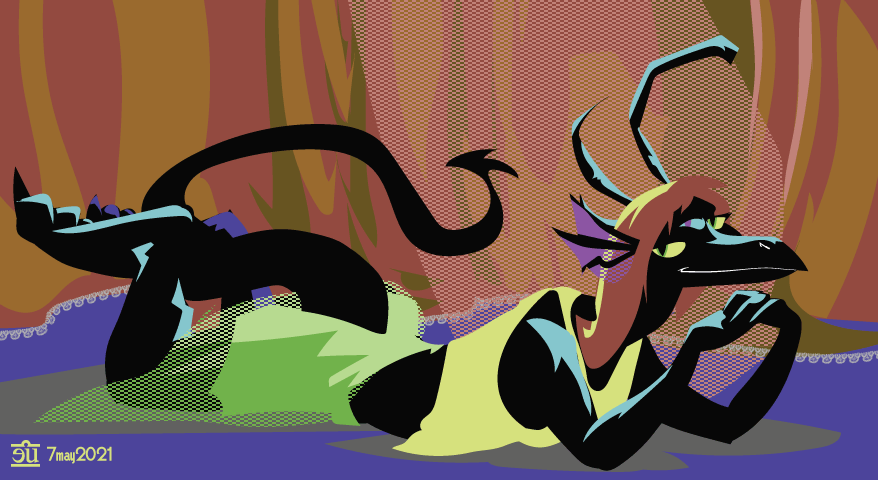
It began as just a bunch of shapes with a c64 palette and some pattern fills in the characteristic double-wide dither patterns…
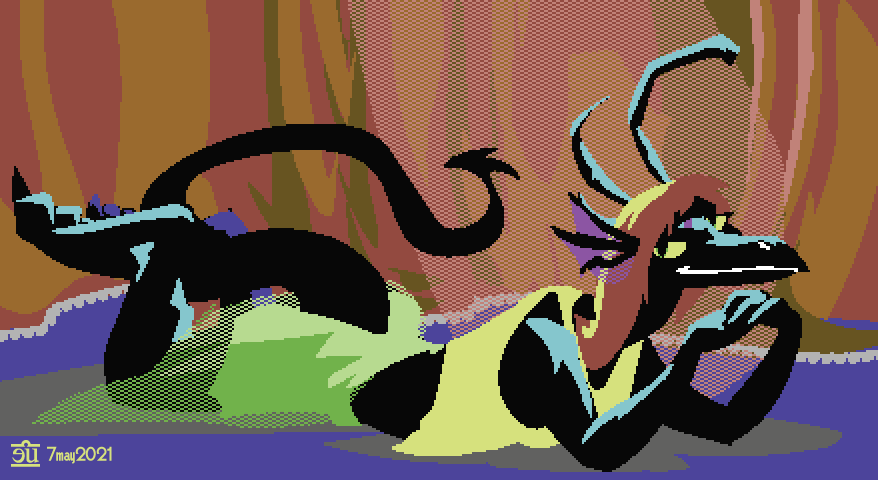
…but why not stuff all the layers this was drawn on into a new layer and apply a rasterize effect to that layer?
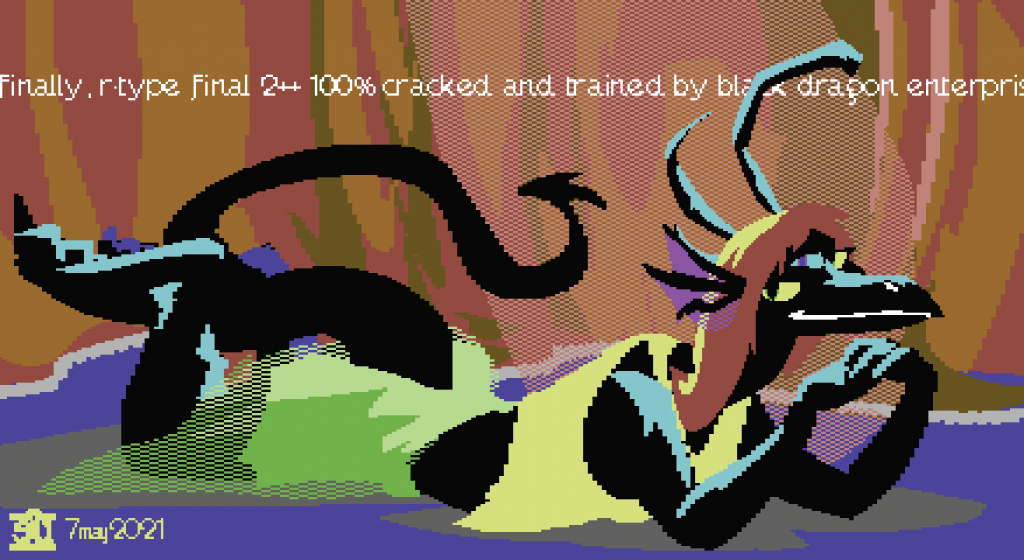
Well, for one thing, the c64’s “high res” mode (320×200) could only have two colors in any particular 8×8 pixel cell; it was much more common to use the “multicolor high res” mode, which let you have 4 colors in any individual 8×8 cell, at the price of it turning into a 4×8 cell of double-wide pixels. I decided I wasn’t going to bother with this and went to bed but the next morning I woke up with an idea in my head for a way to do it: apply a Transform effect to scrunch it to 50% of its width, then the rasterization step, then another transformation to stretch it back out. It worked!
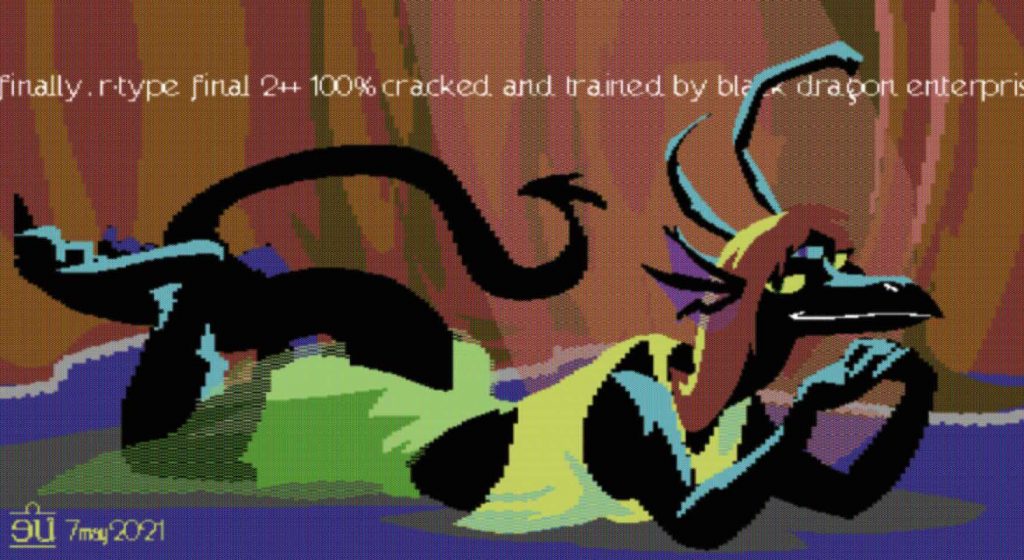
And after I’d done that I decided to simulate a CRT’s phosphor dot pattern, plus a little generalized blur. And after that I was all, okay, fuck it, I guess I have to also go deal with the fact that the c64’s pixels were not square – they were 1:0.75. A little more fiddling with the transform, rasterize, transform trick made Illustrator fix that for me.
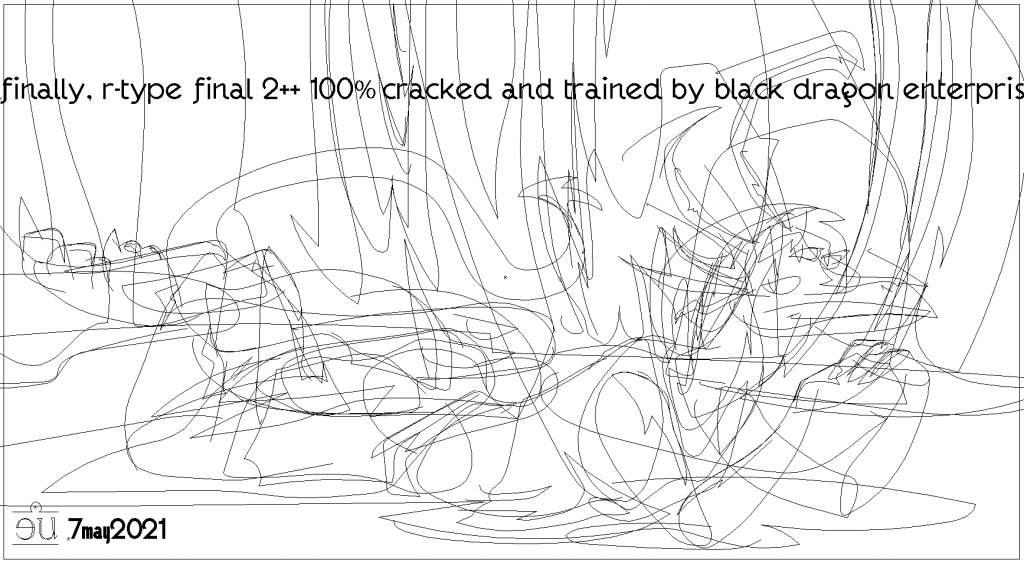
But it’s all still vector. Which made it incredibly easy to make a few tweaks here and there. This would have been a giant pain in the ass to do with anything even vaguely resembling an authentic c64 drawing tool.
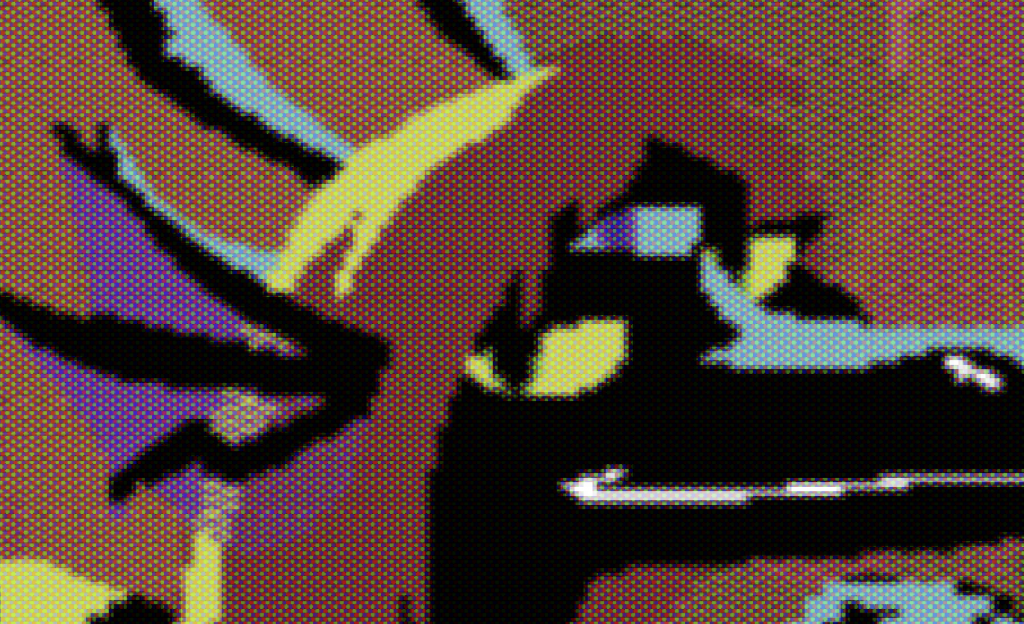
And here’s a closeup of the phosphor dot effect. It could be better but I would have to write my own CRT filter plugin for Illustrator and I really don’t wanna bother with that.

This is far from being a perfect simulation of how this would look as an actual c64’s output – the rabbit hole can go pretty deep if you want to really emulate every single quirk of the VIC-II chip – but it’s good enough that the part of me that wants it to be relatively true to the platform’s limitations and quirks is shutting up. Just assume it’s a giant FLI image scrolling back and forth on the screen with some high-res sprites layered over it for the head and the text and don’t worry too hard about actually counting pixels, okay? :)

AAAND FINALLY because I could do it in like two minutes: here is a version that would actually fit on a c64 screen.

seriously all I had to do was make a new artboard of the appropriate size, duplicate the layers, size them down, and slightly resize the text and signature. I could finesse this but I don’t think I want to – the part of me that wants to improve this workflow a bit more and make something worth submitting to the graphics competition of a demo party is being quietly suppressed.

good morning, peggy

well that was fun

The phone got cut off this morning because I was behind on payment. When I got out of bed to deal with this the internet was down. Great timing. So I had to get up and get dressed and fend off the cats and go to a cafe to get some Internet to deal with all this.

On my way out I passed a couple of cable trucks doing some work, I suspect that they were working on our outage – when I got to the cafe I was able to see that, yes, Cox says our net is down, and estimates it’ll be working again by noon.

And then there was a spurious LastPass account recovery email attempt in my inbox that I sure did not trigger, huzzah. Good thing I have a very long and unique password there.

Blaaaaaggghhhh I just wanna crawl into bed and go back to sleep but here I am at the cafe and I guess I’ll do some work.

A Perfectly Safe Tourist Map, Nothing More

Once upon a time, long long ago in the misty forgotten year of 1984, New Orleans hosted a World’s Fair. The fair’s mascot was a dapper pelican named Seymore D. Fair.

Walking through the French Quarter today, I had the idea of an egregiously fake map. One that was backwards and upside-down. One that would get tourists in massive trouble if they believed its cartoon mascot’s repeated insistence that it was perfectly safe and completely not lies. Or one that would at least send them off on wild goose chases to the ass end of the suburbs in search of the “Witchery & Voodoo District” that it claimed was out there.

I do not think I actually want to put the time in to make this happen but I was amused enough by the concept to spend a couple of hours drawing this instead of working on commissions like I was intending to do at the cafe.

Lamplighter

Three days ago, I got up and took a really big bong hit and read a review of Susanna Clarke’s Piranesi. Which made me decide to take out my copy of the inspiration for that book: a series of prints of vast, imaginary prisons drawn by an 18th-century Italian guy named Giovanni Battista Piranesi. I looked at his drawings, I considered the two versions of most of them – one from when he was in his twenties, one from fifteen years later, where he went back in and drew a bunch more stuff, resulting in darker, denser imagery.

And then I just kinda started drawing this with no real plan or intent in mind. I decided I wanted to try to finish it as much like M.C. Escher’s wood/lino-cut work as I could manage: ‘me pretending to be Escher pretending to Piranesi”, as I described this a few times when I shared in-progress versions here and there. I fooled around with the WidthScribe plugin, and learnt that it can be pretty unstable – I crashed a lot, and unfortunately couldn’t make a good isolated bug report to pass to its developers. But once I’d learnt to save aggressively when dealing with it, I was able to quickly do stuff like decide that the column on the right should be drawn in hatchmarks radiating out from the central lamp instead of along its length (as I had it drawn at first), which would have taken days to change versus like twenty minutes including the time spent dealing with crashes.

Prints available on Redbubble. Source file on Patreon, if you wanna see how I did this – I leaned heavily on a couple of Astute’s plugins, you’ll need Widthscribe and Stylism to see how those were used. There’s a lot of use of pattern fills and blends for the various radiance effects, too.

I worked on this kind of obsessively for three days straight, it’s about nine hours of work total. Today I decided it was finished, and went for a walk to look at things further away than my monitor for a whole. On the way out to the park I realized that it needed some cats as well as a few people wandering around.

So I added a few. And some birds. It makes the whole piece feel a lot livelier to have something besides humans in there. I could add some more stuff but really I think it’s done, and I would like to have my attention back for other projects now.

This is a detail of a figure over on the left who’s mostly hidden behind the lantern light.

And this is a glimpse into the magic of WidthScribe. I can draw a greyscale image, then draw a bunch of lines on top of it, and this plugin will turn them into set of finely-etched lines that vary in weight based on the tones below. It’s pretty neat. Prone to crashing when I start editing it, but pretty neat. I really wish there was a way for Illustrator’s crash report to say “hey this is probably a plugin crash, please pass this on to the address registered by the plugin developer”.

(This is also a glimpse into part of my process: I like to make a layer called “notes”, where I type notes of things I want to make sure not to forget when I take a break from a piece and come back later.)

Anyway. Here are some progress shots, from messy loose pencil tool sketches to final-except-for-colors-and cats.

This slideshow requires JavaScript.


Also just for laughs, here is a screengrab of the whole thing in outline view…

..and here is a screengrab of the whole thing in outline view after I expand all the blends and effects.

Document Info says this file about 3k paths before I expand everything, but those 3k paths make Illustrator create about 8k. Which really leans into how I like to describe Illustrator as “my magical assistant” – I outline what I want it to do, and it does it. Mostly without complaint though it sure did start getting slow to refresh the screen near the end of this piece.

421

I spent all 4/20 fitfully dozing while my body made a shit-ton of antibodies after the second dose of the ‘ronavax. So you get a 420 drawing a day late.

I thought it would be funny to generate every color in this drawing by using various overlaid blending modes on one green swatch. If you want to see how I did it (“lots of Graphic Styles”, mostly), the Illustrator 2020 source file’s available on my Patreon.

Also I am incredibly delighted that I have maneuvered my life to a point where “drawing a couple of my fursonæ stonedly flirting with one of my SO’s fursonæ” is a thing that I get paid to do, holy shit, Patreon is such a great thing and I am so glad I have this many people willing to give me a few bucks a month to keep on drawing what I like drawing.

Quirks in the order of operations in Illustrator’s Appearance panel.

Last night I discovered a really strange little quirk in Illustrator’s Appearance panel. Effects applied to a stroke can behave differently depending on if they were applied to the stroke by creating it with the stroke selected in the Appearance panel, or by adding it to the overall path itself, then dragging it onto the stroke. I have, I think, been vaguely aware of this subtlety for a while but I finally sat down and did some experiments to nail it down.

Sometimes the roughen effect is applied to the underlying path before the stroke is drawn. Sometimes it’s applied to all of the paths you’d get if you expanded the stroke after the stroke is stretched along the underlying path, resulting in a much messier and erratic look. And you can’t tell just by looking at the Appearance panel; there is no visible difference between a path where the effect was directly added to the stroke (and thus applied before the stroke is drawn) and one where it was added to the base path, then dragged into the stroke (and thus applied after the stroke is drawn).

This persists across a save, too. There’s something Illustrator’s setting in there that it’s not exposing.

—-

I also tried fooling with Astute’s new “Architect” plugin, which is designed to create sketchy lines that look like an architectural rendering, but is also useful for just generally creating some extra chaos. I’ve been running up against this “sometimes it runs on the underlying path, sometimes it runs on the art stretched along the path” while playing with it. I think the set based on the art brush makes it really clear which ones are operating on the path before the stroke is applied, and which ones are operating after – I’d had an intuition that it happens at a slightly different place in the rendering order than most of AI’s native effects, and this confirms it.

There are very few native effects that create a lot of extra paths this way; one of the few that does behaves differently. Honestly I’m not sure what I expected out of the extrude/bevel effect but I feel surprised that having it at the very top of the Appearance stack makes the path completely vanish.

I should probably try it on the Scribble effect – one of the other few stock effects that can turn one path into multiple paths under the hood, instead of just altering a single existing path – but I feel like I’d need to make a slightly different test case and that’s enough for before breakfast.

Anyway. That’s your dive into deep Illustrator obscurities for today.

branding revisions

Back in 2012 when I made my current website, I did a little drawing of the god-mode version of my fursona that’s hiding at the bottom if you scroll allllll the way down until the background peels away to reveal her.

Earlier this year I re-did the first thing you see when you open the site. And today I found myself looking at that old drawing of November-4 and feeling like I could do it a lot better. To be honest I was never entirely satisfied with it, it always felt a little off. But there were some technical reasons why it was hard to re-work (it’s all drawn in an opacity mask). Now I have some new tricks for doing transparency, and a few new tools to use as well.

I think I like this one a lot better. We’ll see if I still like it in about another ten years.

Five Candles, Six Stars

secrets, darkness, midnight rite

calling Cassiel via Mercury on the sousaphone

sombre nighttime lurking orchestral, mighty and dark and all alone

—-

I found this lurking in an old sketchbook file from 2018 and cleaned it up today. I don’t think this was anything like the way 2018 me would have finished it but I’m pretty happy with the end result.

High-res on Patreon, prints on Redbubble, if you have a spot on your wall that you think would be best-served by covering it up with a snake lady invoking the angel of Jupiter.

frizzly hair

“What tools are good for drawing kinky hair in Illustrator?”

Here’s an Appearance stack that I whipped up in like ten minutes that’s a good start.

kinky hair demo.ai – open up the Appearance and Graphic Styles palettes to explore just what I did here, click on some effect names and play with the settings, find something better than I did in ten minutes.

It could use a lot of refinement and maybe I’ll do that sometime soon. But this is a decent start IMHO. One major refinement could be to make an art or scatter brush with some squiggles, and add that as a stroke on the “kinky hair” style.