There is an invisible effect in an Appearance stack on a stroke wherein the stroke is actually rendered along the path. It is possible to place effects above or below this invisible effect by dropping the effect on the stroke’s entry or within the stroke’s expanded entry.
It is very useful to be able to place effects before or after strokes are rendered, but it’s very confusing to deal with when a crucial effect is invisible. If you create and place the effects the wrong way then a list of steps that used to work, or that work for the person who wrote them because they habitually set up effects the other way, then it’s insanely frustrating.
This is a quick rendering of the Illustrator file I created today to demonstrate this, and to propose a simple way to make this invisible effect visible. If you’ve sworn at Illustrator over things suddenly going weird then maybe go upvote the post I made about this on Uservoice. The demo file is attached there, and at the end of this post.
stroke path effect in appearance proposal.ai
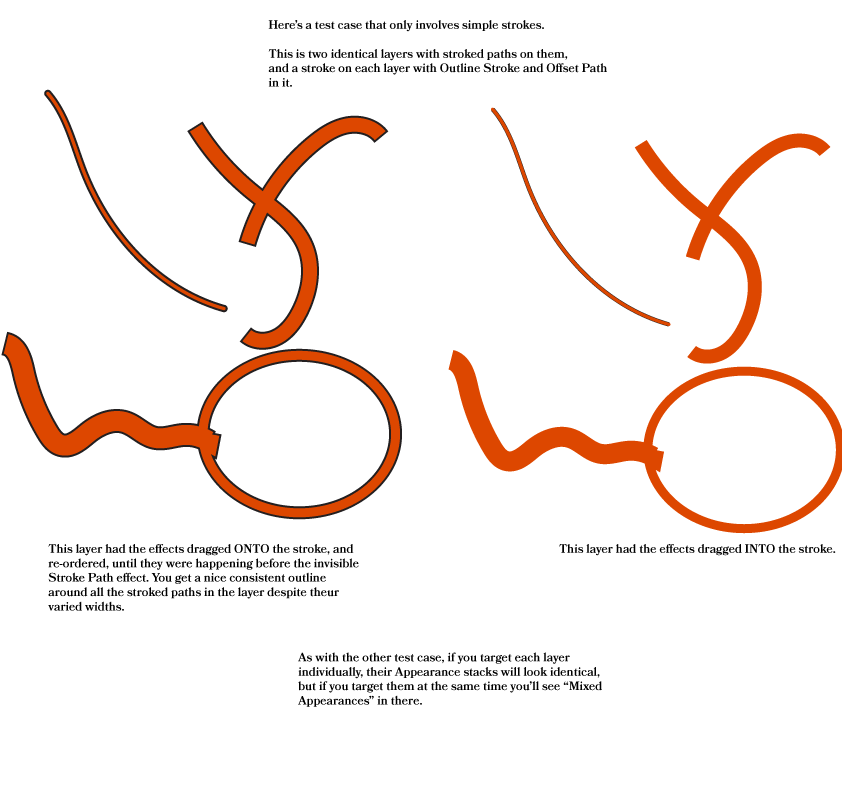
edit: after sharing this I had some suggestions that this is because I’m using a brush, which is reasonable – I thought this only applied to complex strokes for a long time, until seeing a problem someone was having in the prerelease slack with a simple stroke applied to an entire layer full of simply-stroked paths – so I spent a little while reproducing that. I went with the brush example because it’s quick and easy to generate, without the extra layer of indirection involved in a stroke applied to an entire layer.