Sooo
The past week I’ve been attempting to figure out Blender. Goddamn its UI is hostile as fuck. Especially with crazy choices like “use the right mouse button for selecting stuff”, which they claim makes ergonomic sense because it spreads the load out from your index finger, but if you’re using a stylus 24/7 like I am then it’s just utter hell.
Luckily you can tell it to use the left mouse button for selecting like every other program on this planet. And you can configure its keys. In a pretty user-hostile dialogue, but it’s doable – I’ve set it up so that holding space and using the Wacom pen, or the two buttons on its barrel, moves the view around in a way that doesn’t conflict with fourteen years of using space+drag to move around my Illustrator canvas. Though I still haven’t managed to make it stop asking “are you sure” when I try to delete a part of something, or when I tell it to save the file. All I can find if I google for solutions for that is people long-windedly explaining why they had that option, and removed it, because someone made a mistake once and so everyone has to suffer for that, ughhhh.
My test for doing this has been Peganthyrus, also known as “that cartoon dragon I’ve been drawing myself as for twenty years”. I figure I have a pretty solid mental model of her in my head, it should be a lot easier to put that in an unfamiliar program than anything else, right?
I started out by making an attempt to sketch a rough directly in Blender using its “grease pencil” function, which is a pain in the ass to edit. I went ahead trying to model that and eventually ran up against the fact that my side and front views were kind of out of alignment, and were not great drawings anyway. I put the tutorial I was following, and my file, away, and did other things.

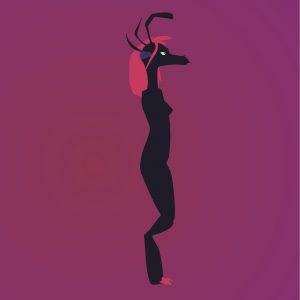 A couple days later, I drew a nicely-aligned pair of reference drawings, put those into Blender, and started trying to do “box modeling”, which is called this because you start with a cube and extrude/chop stuff until you have something like your desired character, then refine it. Pretty soon I’d said “fuck it” to trying to model a low-poly version, and had added a subdivision surface to make it all nice and smooth and rounded, as if the polygons I was making were a bunch of control points in Illustrator. About halfway through, I realized that all my instincts were telling me that I was using entirely too many points by starting with a box aligned to the world’s axes; I felt like I kept on wanting to add edge loops doing down the middle of every side. But I didn’t want to do that because if there’s one thing that twenty years of Illustrator has taught me, it’s that defining an oval with more than four points is a waste of your time… and when you slice a cartoon character in half, what do you get? A bunch of ovals. Well, at least if you cut them perpendicular to their longest axis.
So I scrapped what I had again, and started fresh, with a cube that I rotated 45º, so that I could easily line stuff up with my front and side view drawings.


Yeah this was so much easier to do, why the hell do you 3D jockeys tell everyone to do it from axis-aligned boxes. What is wrong with you people. Why are you making yourselves pull around twice the points you have to. (Or what problems do I not know this is going to cause further down the line.)
I haven’t bothered doing more than the most basic extrusion and placement of the legs yet, and the head needs a lot of work – but I think I’m beginning to see potential here. My next step may be to keep working on this, or it may be to try making it from scratch again in spline patches. Blender’s spline tools look really terrible and awkward compared to what I’m used to, so maybe not. We’ll see.
Ultimately, my goal is to get far enough along that I can have an animatable 3D version of my dragon-self, who I will of course then play with non-photorealistic rendering styles on. And maybe do other things like wear it via realtime animation toys. I feel like this is a skillset I need to begin to pick up if I’m gonna be serious about my plans to pitch Parallax as a 3D show with tons of non-photoreal rendering to make it look like I drew every frame in AI. Will I get there? Hell if I know.
Right now I just need some food.