me this morning: I should deal with nailing down the last leg of my post-FC travels today, also maybe go get my hair dyed, also maybe like draw some comics
Also me this morning: Hey what’s FC’s theme this year I need a badge oh geeze “fantastic beasts and where to find them” okay lemme steal the typography from that recent drawing and faux-airbrush the hell out of the dragonsona in Witch Mode I guess.
It’s only three so I guess I can still maybe get some of that to-do list done…
The type was stolen from the drawing I posted the other day, and slightly modified. It’s worth noting that it’s actually just a bunch of white shapes; I have a style applied to the type layer that gives it a gradient fill and several overlapping outlines. It’s a lot easier to tweak it around this way; I don’t have to worry about rebuilding complicated compound paths or making multiple shapes have their gradients line up or anything like that. I just move stuff around and it magically blends in.
(The two strokes that are turned off are for a thicker outline to the type that I ultimately decided to not go with. My art files tend to be filled with a lot of their history like this.)
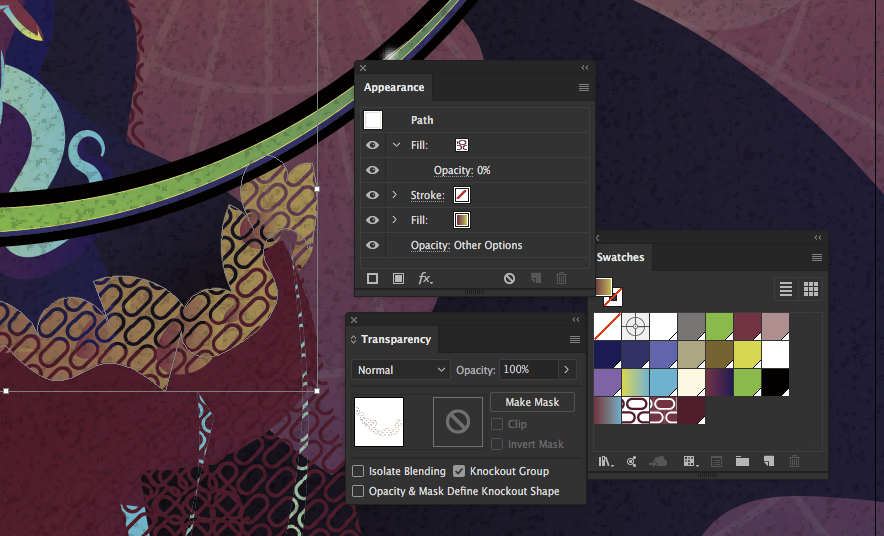
There’s also some interesting trickery going on in the pattern fills. I’ve managed to apply a gradient across a pattern fill, which is normally impossible. But if you pile a pattern fill on top of a gradient, set the pattern’s opacity to 0%, and turn on ‘Knockout Group’, then the pattern will be punched out of the fill. You can see that I made two versions of the same oval-brick pattern, one with red outlines, one with the same outlines expanded and punched out of a red square. I used the second one to do the highlights on the gown, which are perfectly aligned with the rest of the pattern. It’s a pretty cool trick to have in your arsenal.
(You can also do this by having different shapes on top of each other, grouping them, and abusing Knockout Group on the group.)
Pretty much everything in this drawing has a gradient on it, to give it a little life and make it feel more like something knocked out by an airbrush artist in the early 80s. Or maybe like someone working for Lisa Frank. The hair’s two variable-width strokes stacked on the path, with contrasting gradients on it. The glowing sigil is pulled from another con badge, given some of the same gradients, and set to ‘screen’ mode. About the only shapes in this piece that have a solid fill are the irises of the eyes, and some of the deep blue blurred shapes involved in the shading.
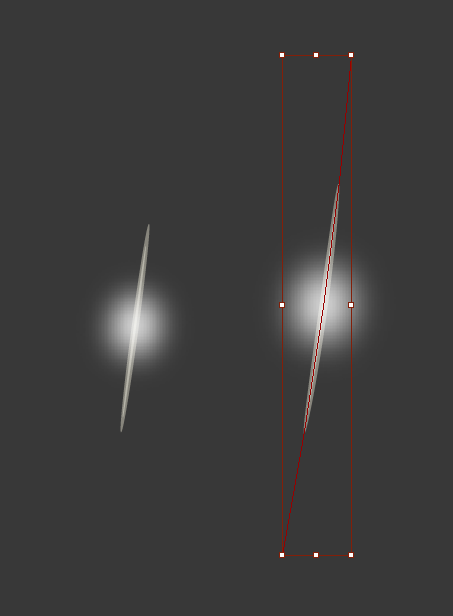
Oh yeah, and all those little gleams? Art brush. Two long translucent ovals and a blurred circle; select it and make quick little swipes with the pencil tool wherever I want.